
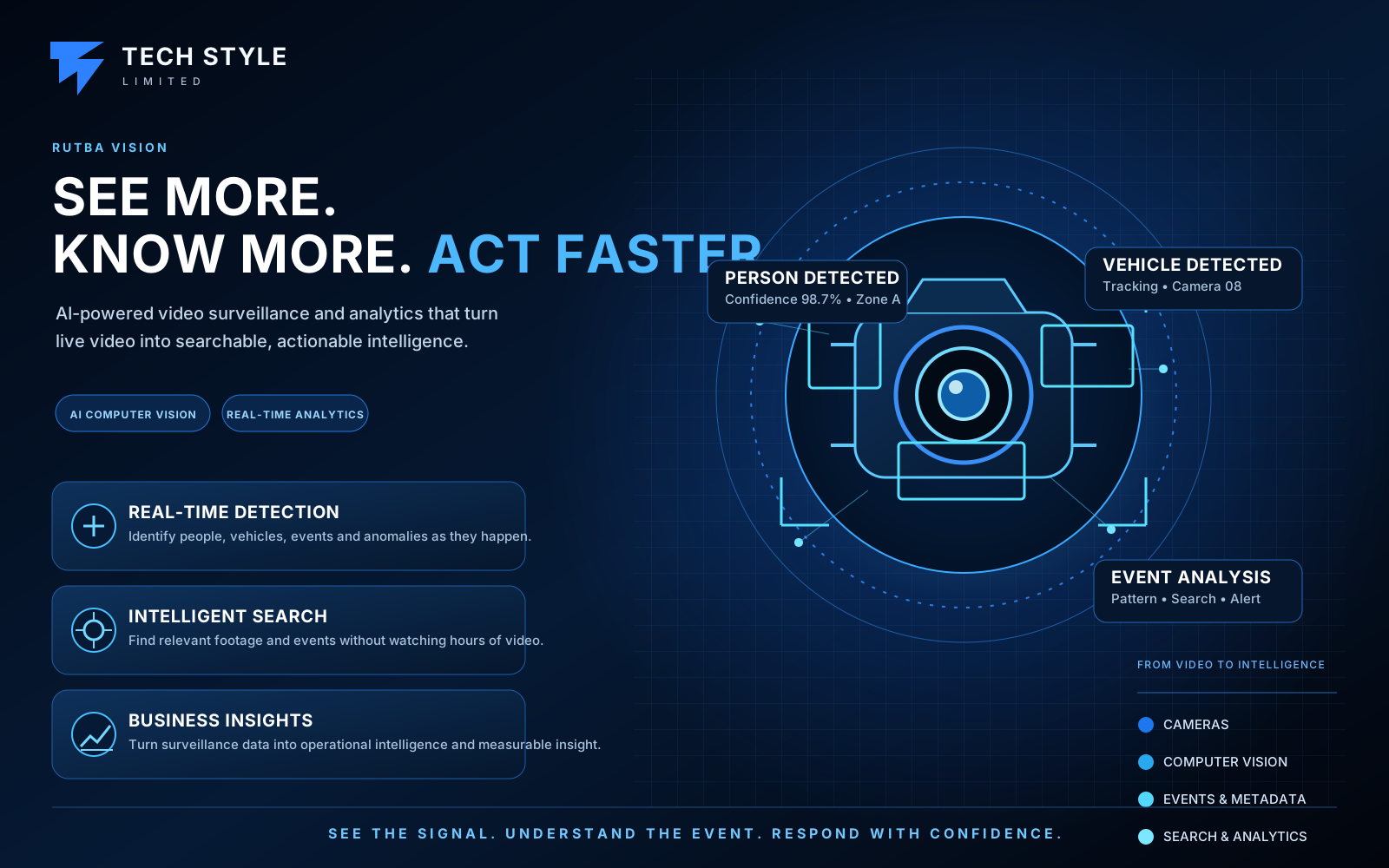
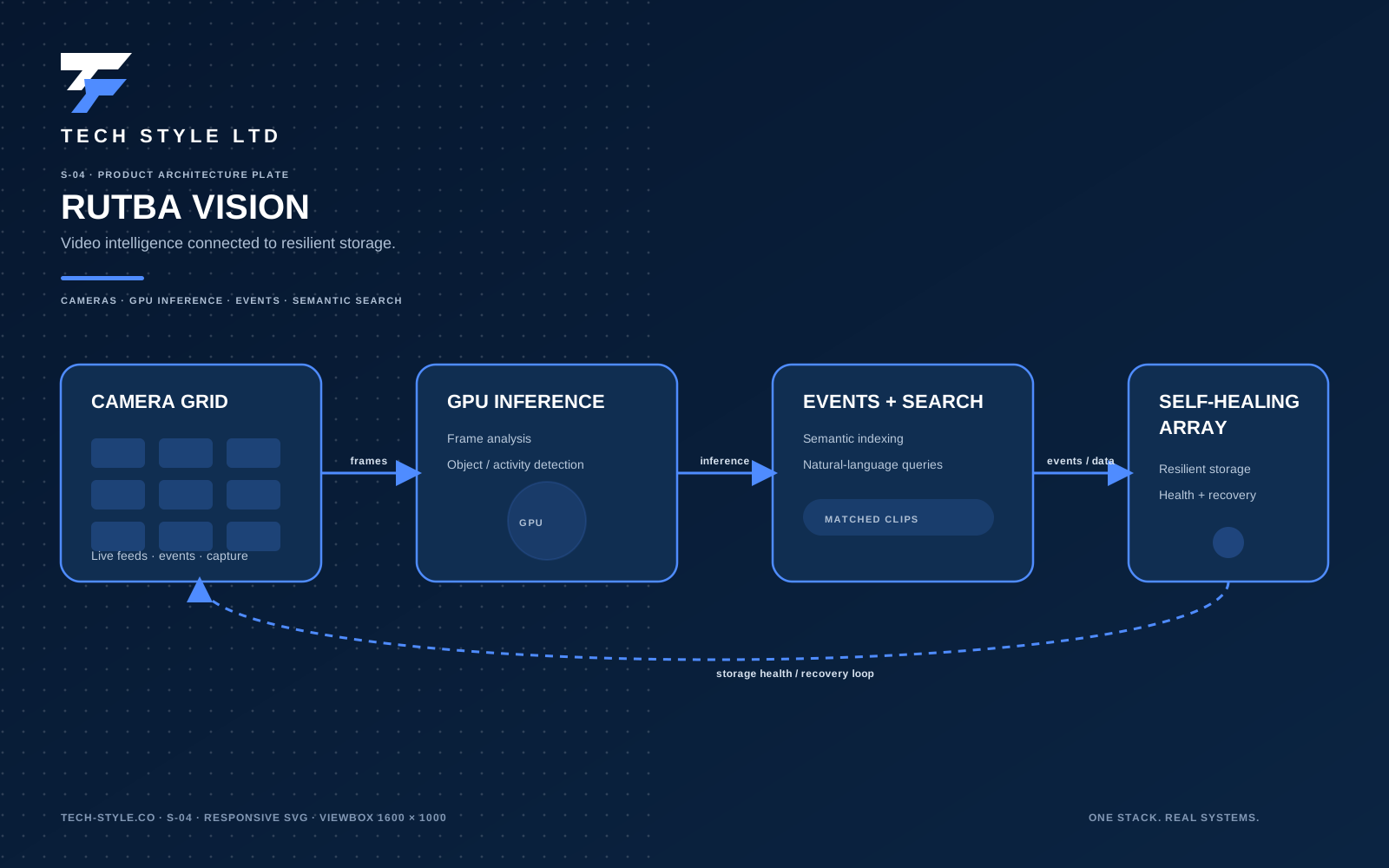
Rutba Vision
An AI video surveillance platform for camera networks at the scale where an NVR stops coping — hundreds of streams, hundreds of terabytes, and nobody employed full-time to nurse it. Cameras are described in one file, not clicked into a UI. Recording is hardware-accelerated and never touches a camera twice. Storage and database maintenance run themselves. And AI is switched on per camera, so you pay for inference only where it earns its keep.
Camera systems don't fail at ten. They fail at a hundred and fifty.
A handful of cameras is a product you buy. A network of a hundred and fifty writing terabytes a day is an operations problem, and the failure modes are boringly consistent: the array fills and recording silently stops; the event database bloats until queries time out; a camera drifts twenty minutes off the clock and its footage becomes useless as evidence; one camera on old firmware refuses to stream and nobody notices for a week; and every configuration change is forty clicks in a web UI that nobody can review or roll back.
Rutba Vision is built around those failures rather than around the demo. Cameras live in a version-controlled inventory file. Retention is enforced by a safety net that assumes the recorder's own expiry will eventually fall behind — because in practice it does. The database is watched, compacted, thinned and, if necessary, rebuilt, on a schedule, without anyone logging in.
The result is a system whose normal state is unattended, and whose AI can be turned up where it matters without putting the recording at risk.
- Configuration
- One inventory file, generated config
- Camera load
- One connection per camera, fanned out
- AI
- Enabled and tuned per camera
- Maintenance
- Automated, with a documented CLI
Three things in one system
A recorder that stays up
Hardware-accelerated 24/7 recording with configurable retention per camera, hardened by storage and database automation that treats running out of disk as a solved problem rather than an incident.
An AI layer you tune
Motion and object detection with zones, filters and masks per camera; theft, gesture, idle-space and non-standard behaviour rules on the cameras that warrant them; custom events on your own conditions; and an enrichment stack for semantic search, faces, plates and generated descriptions.
A management surface
A declarative camera inventory, a generated configuration, and a single CLI covering provisioning, diagnostics, backup, repair and capacity — so operating a hundred and fifty cameras is not thirty times the work of operating five.
Customised per camera, not per system
A car park, a stockroom door and a production line want completely different analytics. Rutba Vision configures motion and object detection, filtering, theft, gesture, idle-space and behaviour rules, custom events, and enrichment individually — including switching them off entirely on the cameras that only need to record.
Detection & filtering
Per-camera detection
Detection is a per-camera switch with its own resolution and frame rate, so a busy entrance can run rich analytics while a corridor camera costs nothing but disk.
Zones
Define the areas that matter — a doorway, a loading bay, a restricted aisle — and alert on what enters them rather than on everything the lens can see.
Masks
Exclude the parts of a frame that generate noise: a public pavement, a swaying tree, a reflective surface, a neighbouring property you have no business analysing.
Object filters
Choose which object classes each camera tracks, with minimum size, ratio and confidence thresholds — the difference between a useful alert stream and one people mute.
Inference hardware
Run detection on CPU for a light load, an integrated GPU, or a dedicated accelerator when camera count and frame rate justify it. The choice is configuration, not a different product.
Review & alerting
Detections become reviewable events with clips and snapshots, routed onward to the systems your team already watches rather than trapped in one console.
Theft & behaviour monitoring
Theft & shrinkage detection
Stock leaving by a route it shouldn't, a vehicle loading outside its window, a person carrying an object out of a restricted zone, a pallet that moves after hours. Zones, tracked object paths and dwell thresholds are combined into rules that describe your actual loss patterns — so the alert is "goods left the yard through the side gate at 02:14", not "motion detected".
Non-standard behaviour monitoring
The system learns what normal traffic looks like for each camera — the hours, the routes, the counts, the typical dwell — and flags what departs from it: activity in an empty building, loitering at a gate, someone moving against the flow, a door held open, a bay that stays busy long after the shift ended.
Time-aware rules
The same frame means different things at 14:00 on a working day and 03:00 on a Sunday. Rules carry schedules, so a shift pattern, a delivery window or a holiday closure changes what counts as an exception rather than generating noise operators learn to ignore.
Exceptions that reach someone
Flagged behaviour becomes a reviewable event with its clip, its zone and its reason attached, routed to the channel your team already watches — so an overnight exception is a message with evidence, not something discovered a week later during an investigation.
Motion, gesture & custom events
Motion detection
The cheap first pass that gates everything above it: pixel-level motion with its own mask, threshold and contour size per camera, so object detection only runs on frames that actually changed. It also stands on its own — a store cupboard or a plant room can raise events on movement alone, with no inference cost at all.
Gesture detection
Pose and keypoint tracking turns body position into a signal: a raised-arm call for help in a warehouse aisle, a banksman's hand signal at a loading bay, someone reaching into a crate or over a counter, a person going to ground. It needs cameras framed close enough to resolve limbs, so we identify which of yours can carry it before promising it.
Idle space detection
The inverse of activity, and often the more valuable half. Zones report occupancy over time — a loading bay empty through a shift, a parking bay free or blocked, a machine standing unattended, a till with nobody on it — turning "is anything happening there?" into utilisation you can report on rather than a feeling.
Custom events
Your own conditions, composed from the same parts: object class, zone, direction, dwell, count, schedule and camera. Events are published over MQTT and webhooks with their clip and metadata attached, so they can open a ticket, flag a stock discrepancy, or drive an automation in a system that isn't ours.
Enrichment
Semantic search
Find footage by describing it. Objects are embedded as vectors, so "person in a hi-vis jacket near the gate" is a query rather than an afternoon of scrubbing. Multilingual models are available where the site isn't English-speaking.
Face recognition
Recognise known individuals where the law and the use case allow it — staff areas, restricted rooms, or a watchlist agreed with your compliance team.
Licence plate recognition
Read plates at gates, yards and car parks, turning vehicle movements into searchable records for access control and dwell-time reporting.
Generated descriptions
Natural-language descriptions and review summaries for tracked objects, so an operator can read what happened overnight instead of watching it.
Custom classification
Train the system on classes specific to your site — a piece of equipment, a uniform, a state a machine should not be in — beyond the generic object set.
Processed on your hardware
Inference runs on the appliance. Footage does not leave the site for analysis unless you deliberately configure a cloud model, which matters for both bandwidth and lawful basis.
A hundred and fifty cameras, one file
The management model is the part that scales. Cameras are declared, the configuration is generated, and the generated file is reviewable and revertible like any other code.
# cameras.yml — the single source of truth
defaults:
  user: admin
  rtsp_port: 554
  retain_days: 10
  record: true

cameras:
  - name: gate_north
    ip: 192.168.1.201
  - name: loading_bay
    ip: 192.168.1.205
    type: ffmpeg        # older firmware
    audio: true
  - name: stockroom
    ip: 192.168.1.209
    retain: 30          # per-camera override
Edit, regenerate, restart. The full recorder configuration — restream definitions, per-camera inputs, roles, retention, audio handling — is produced from this, so a hundred-and-fifty-camera site is a hundred and fifty short entries rather than an eight-thousand-line file maintained by hand.
What the tooling does for you
- Probes each camera and reports model, firmware and stream health
- Detects which cameras need a compatibility path and sets it automatically
- Adds and removes cameras interactively, then regenerates the config
- Pushes NTP settings to every camera on a schedule, four times a day
- Diffs the generated configuration before anything is applied
- Groups cameras into operator views — by building, by priority, by shift
Clock discipline
Scheduled time sync
Camera clocks are pushed from the server's NTP-synced time four times a day over the manufacturer's own API, so timestamps stay consistent across the estate.
Evidential value
Footage whose clock has drifted is worth far less in an investigation or a claim. Drift is silent, so it is checked on a schedule rather than when someone needs the tape.
Verifiable
A single command reports every camera's current clock against the server, so "are we in sync?" is a question with an answer.
The parts that run while nobody is watching
Most of the engineering here is not in the happy path. It is in what happens on day two hundred, when a disk is nearly full, a database has bloated, and the person who installed the system has left.
| Job | Schedule | What it prevents |
|---|---|---|
| Disk-fill safety net | Every 15 minutes | Recording stopping because the array reached 100%. Prunes the oldest hours once free space crosses a threshold, with a wide gap between trigger and target so it never thrashes — and never touches the most recent days. |
| Database watchdog | Hourly | Event queries slowing to a crawl. Compacts automatically at one size threshold and performs a full repair at a higher one. |
| Nightly compaction | 03:00 daily | Steady bloat from a month of events, clips and recording metadata. |
| History thinning | Weekly | Old rows accumulating indefinitely — older history is sampled rather than kept at full resolution. |
| Full repair | Weekly | Orphaned rows and index drift after months of continuous writes. |
| Backup rotation | Daily | Backups quietly consuming the space they were meant to protect. |
| Camera time sync | 4× daily | Clock drift making footage worthless as evidence. |
Thresholds derived from measurement
The retention safety net in the reference site is calibrated against observed fill rates — roughly 2.4 TB per day averaged across a hundred and fifty cameras, peaking near 2.7 TB — not against a round number somebody guessed. Your thresholds come from your own measured rate.
Repair, not just restart
A corrupt event database can be dumped and rebuilt, and in the worst case reconstructed from the recordings on disk — so a database problem costs you metadata, never footage.
Survives imperfect hardware
In the reference deployment one physical disk in the eight-disk array developed bad sectors. The database was relocated off it and recording continued across the remaining capacity — at this scale a failing disk is a scheduled maintenance item, not an outage.
Backups you can restore
Scheduled database backups with automatic rotation and an interactive restore path — plus an integrity check you can run on demand rather than discovering the answer during an incident.
Access recovery
Administrator seeding and password reset tooling, because on a system that runs unattended for months the credential nobody wrote down is a predictable event.
Capacity you can see
Storage breakdown by camera and by day, and a dry-run mode that shows exactly what a cleanup would remove before it removes anything.
How it's put together
Built on the open-source Frigate engine with go2rtc restreaming, packaged as a maintained appliance with the operational layer that turns an excellent project into something a business can depend on.
One connection per camera
Each camera is pulled once into a restreaming layer, then fanned out to recording, live view and detection. Cameras are the weakest link in any surveillance system; connecting to them three times is how you find out.
Hardware acceleration
Video decoding is offloaded to the GPU, so a hundred and fifty streams are handled by one appliance instead of a rack of servers with their CPUs permanently at full tilt.
Open output protocols
Streams are available over RTSP, WebRTC and RTMP, so footage can feed a video wall, a web app, a mobile client or another system without a proprietary SDK.
Network separation
Cameras sit on their own VLAN, reachable by the recorder and nothing else. Consumer IP cameras are not devices you want on a flat office network.
HTTPS with real certificates
The console is served over TLS with automatically renewed certificates and its own authentication — not a self-signed warning everybody learns to click through.
Containerised
The whole stack is a container definition, so a rebuild is a documented command rather than an archaeology exercise, and updates are pull-and-recreate.
Storage that grows
Recording capacity is a volume group across multiple physical disks, so adding a disk adds retention without moving anything or reinstalling.
Selective audio
Audio is recorded per camera, enabled where it adds evidential value and left off where it only adds noise and legal exposure.
One CLI
Around twenty-five commands covering the whole lifecycle — status, logs, updates, camera add and remove, diagnostics, backup, repair, capacity and scheduled-job installation.
Three ways to take it on
The platform is the same in each case; what changes is who holds the pager.
Appliance
We specify, build and commission the recorder on your site, hand over the inventory file, the CLI and the runbook, and your team operates it. You own the hardware and the footage outright.
Managed
The same appliance, with us monitoring capacity, applying updates, tuning detection as the site changes and responding when something needs a human. Footage stays on your premises.
Multi-site
One recorder per site with a consistent configuration model across all of them, so a chain of branches is one system to reason about rather than twenty independent ones.
Sites this suits
Warehousing & manufacturing
Loading bays, stock areas and production lines, where dwell time and access matter as much as the footage.
Retail & multi-branch
Consistent coverage across sites, with plate recognition at yards and car parks and searchable footage per branch.
Campuses & facilities
Large estates where nobody wants a second full-time job administering the camera system.
Replacing a proprietary NVR
Sites stuck on per-camera licensing, a closed client and an upgrade path that means buying the cameras again.
The site this was proved on
Figures below describe the deployment the platform was built and hardened against, not a theoretical maximum. Yours is sized to your camera count, retention and analytics.
| Cameras | 150 IP cameras on a dedicated camera VLAN, recorded continuously. |
|---|---|
| Recording engine | Frigate with go2rtc restreaming, in Docker on Ubuntu 24.04 LTS. |
| Acceleration | Integrated GPU video decode. |
| Storage | 100 TB across eight physical disks in one volume group, XFS. |
| Retention | 30–35 days of continuous recording for every camera, enforced by an independent safety net. |
| Observed fill rate | ~2.4 TB/day average, ~2.7 TB/day peak across all cameras. |
| Protocols | HTTPS console, RTSP restream, WebRTC and RTMP outputs. |
| Detection | Configured per camera. The reference site runs recording-first, with detection enabled selectively rather than blanket-on. |
| Management | Declarative camera inventory, generated configuration, and a unified CLI of roughly 25 commands. |
| Automation | Seven scheduled maintenance jobs covering storage, database and camera clocks. |
Other products
How many cameras are you running?
Tell us the site, the camera count and what you actually need to detect. We'll come back with a sized appliance, a retention figure and an honest view of which analytics are worth enabling.