
Rutba Office
A free, open-source desktop office suite. One download holds the Office apps (mail, calendar, contacts, documents, spreadsheets, slides, PDF and pictures), with image editing, video, a screen recorder, Talk and a database to add when you want them. They run on a document engine we wrote ourselves, and the Office apps work with the network switched off. The menus come in English, Urdu, Arabic and Hindi. It is in open beta, with new releases several times a week.
 Rutba Office
free desktop suite
Rutba Office
free desktop suite
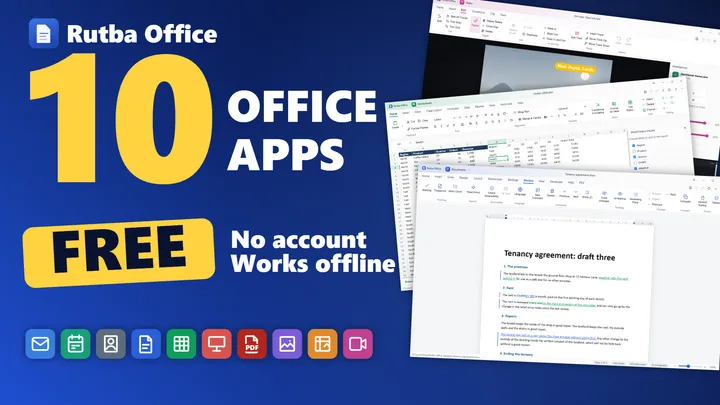
Rutba Office: ten free office apps for Windows, no account needed
A short introduction to Rutba Office, the free office suite for Windows, filmed at 2.4: mail, calendar, contacts, documents, worksheets, presentations, PDF, pictures, image and video. Recorder, Talk and Data Files have joined it since.
Plays from YouTube, with English subtitles. Nothing is loaded from YouTube until you press play. Watch it on YouTube, or see more films on the Rutba channel.
The engine was the hard part. The suite is what it is for.
Rutba Workspace needed to open a customer’s .docx and .xlsx, edit them and hand them back without quietly destroying what it did not understand. Nothing off the shelf did that, so we built the engine: an OOXML layer that rewrites only what it edits, a spreadsheet calculation engine, a .pptx renderer, a PDF reader and writer with no dependencies, and a mail library that reads the archives other clients cannot.
A desktop suite is a better use of that work than a drawer, so it is free under the AGPL, with a commercial licence for anyone embedding it in something closed. The hosted Workspace apps open and save documents on the same packages, so every file opened in Rutba Office is a test both benefit from.
- 1
- download, with the Office apps on from the start and the rest to add
- 23
- engine packages
- 3,047
- engine tests at the 2.17.1 release, none failing
- 25
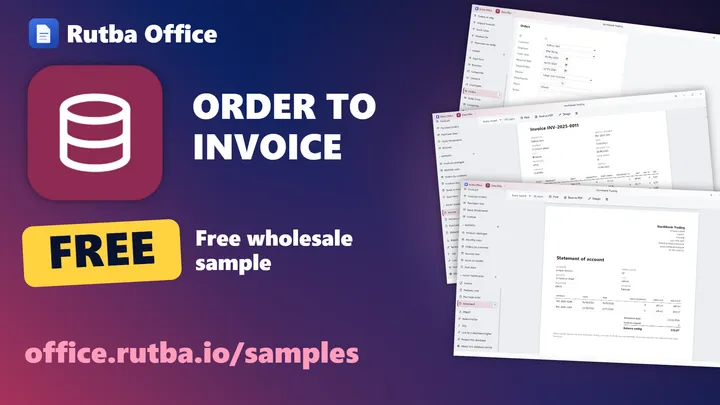
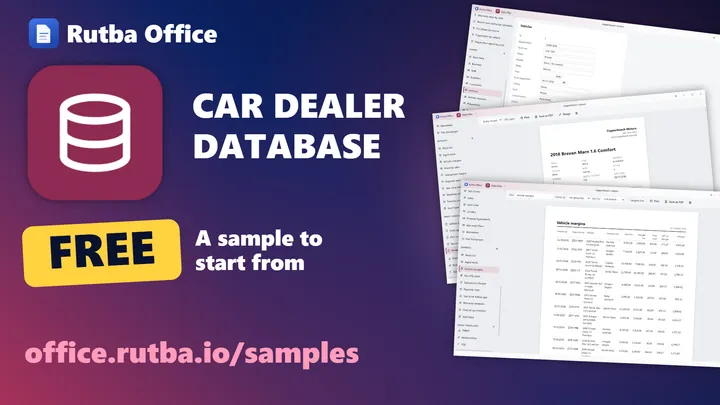
- sample businesses in Data Files, with a year of records or empty
Rutba Office at work, app by app
52 pictures of the apps doing their jobs, each the real application on a sample file, as on office.rutba.io/tour. The people, firms and figures in them are made up. Press a picture to see it larger.
 Mail, the main windowMail
 Calendar, the main windowCalendar
 Contacts, the main windowContacts
 Documents, the main windowDocuments
 Worksheets, the main windowWorksheets
 Presentations, the main windowPresentations
 PDF, the main windowPDF
 Pictures, the main windowPictures
 Image, the main windowImage
 Video, the main windowVideo
 Recorder, the main windowRecorder
 Talk, the main windowTalk
 Data Files, the main windowData Files
 The Home launcherAcross the suite
 Signed mailMail
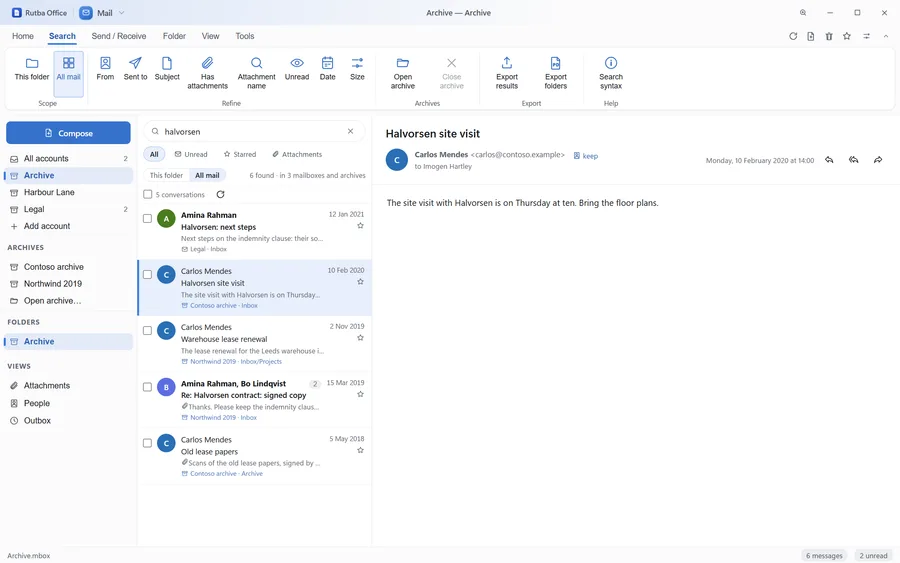
 Search across archivesMail
 Several accounts at onceMail
 The week viewCalendar
 A contact cardContacts
 Tracked changesDocuments
 Forms with content controlsDocuments
 RedactDocuments
 Styles and the Navigation paneDocuments
 PivotTablesWorksheets
 Conditional formattingWorksheets
 Data from PictureWorksheets
 ChartsWorksheets
 The Slide MasterPresentations
 ComparePresentations
 Design IdeasPresentations
 Presenter viewPresentations
 CommentsPDF
 Fill & SignPDF
 RedactionPDF
 Recognise TextPDF
 Ratings in the folderPictures
 Copy Text from PicturePictures
 LayersImage
 Selections and masksImage
 CurvesImage
 Introduction videosVideo
 Record ScreenVideo
 ExportVideo
 Picture in pictureVideo
 Tracks, sound and In and OutVideo
 Go LiveRecorder
 TemplatesAcross the suite
 The dark themeAcross the suite
 Urdu, right to leftAcross the suite
 A ribbon of iconsAcross the suite
 KeyTipsAcross the suite
 AI ToolsAcross the suite
Apps that share one shell
They share a design system, a set of shortcuts and an engine, so the second app you open behaves like the first.

Every account, every archive, one inbox
IMAP and SMTP accounts, added one at a time or several at once from a file. It opens the archives other clients leave behind (Outlook .pst and .ost, .olm, mbox, .eml and .msg) where they lie, and one search covers every account and archive. Signed and encrypted mail (S/MIME) is checked on this computer, and Out of office can turn on your mail server’s own automatic reply, so it answers with your computer off.

Calendar
Meetings, kept on your own machine
Month, week, day and agenda, with repeats, exceptions and time zones that survive the round trip. .ics in and out, invitations answered from the message in Mail, a CalDAV server you add kept in step, and the Hijri date shown beside the Gregorian.

Contacts
The address book Mail completes from
.vcf and CSV in, merged by address; vCards out. Compose completes from the book and then from the people your mail has seen, a sender is kept from the reading pane in one click, and an address book on a CardDAV server you add stays in step with this one.

Documents
Pages as you type, and everything Word puts on them
.docx on an engine we own, under Word’s own ribbon, with pages laid out on screen as you type. Track Changes, mail merge, tables of contents and forms are written as Word writes them, and Redact and Inspect clear what should not travel. Reads and writes .docx, .odt and .rtf, opens old Word files in full, and exports PDF.

Worksheets
Real formulas, real recalculation
.xlsx on a real calculation engine under Excel’s ribbon, Excel 365’s newer functions included. PivotTables, Power Query and sealed-off scripts, and Data from Picture turns a printed table or a pile of receipts into rows. Reads and writes .xlsx, .ods, .csv and .tsv, and opens .xls from Excel 2.1 to 2003 in full, and old Lotus 1-2-3, dBASE and Access files too.

Presentations
Slides that survive the round trip
.pptx read, edited and presented under PowerPoint’s ribbon, with masters and layouts followed properly. Transitions, animations, narration and video play in the show, and Compare lists a reviewer’s changes slide by slide to accept or reject. Reads and writes .pptx and .odp, opens .ppt from PowerPoint 97 to 2003, and exports a deck to video.

Pages put in order, without redrawing them
Pages reordered, rotated, split and merged, each copied exactly as it was. Comments are written as Acrobat writes them, forms fill in place, and redaction takes the words out of the file, not just off the page. Fill & Sign places a signature that is a picture, not a digital signature, and Recognise Text makes a scan searchable.

Pictures
A viewer that opens before you blink
Every common image format, EXIF honoured, with PDFs, clips and sound in the same folder. Only what is in view is drawn, so five thousand pictures cost what fifty do. Ratings and tags leave the file untouched, Batch edit resizes, converts and renames a folder, and Copy Text from Picture reads the words in a photo.
Choose apps
The Office apps first, the rest when you want them
A new copy starts with the eight Office apps above. Image, Video, Recorder, Talk and Data Files, and AI Tools, are added from Choose apps in the launcher or the installer. An app turned off leaves the launcher and stops opening its kinds of file, but stays installed, so it comes back with one click.


Image & Video
The two jobs that always need a second program
Image edits without touching the original, with layers, masks, selections, brushes, clone and heal. Video edits clips, stills, sound and titles on a timeline, with a library of titles, shapes and sound effects, starters to begin from, and speed, pitch and fades, and exports MP4 on the computer’s own hardware. Neither needs ffmpeg or anything else installed.

Talk New in 2.8
Messages and calls with your contacts
Someone becomes a contact once you have both said so. Messages and calls go straight between the two computers, with a small Rutba service introducing them and keeping a message for a contact who is offline, and a call shows a safety code you can both read out. Where the two cannot reach each other, the call goes through a relay. Talk signs in with your Rutba account, in the browser, and invites people by email or with a link to send any way you like.

Recorder
The screen, the camera and the voice, as one video
One finished video as it records, from scenes you can change while it runs, with a title and your logo on the picture. Go Live streams it to YouTube, Facebook, Twitch or any RTMP server at once, keeping each stream key encrypted on this computer. Since 2.6 it records a region of a screen and takes still pictures too.

Data Files New in 2.12
Tables, queries, forms and reports in one file
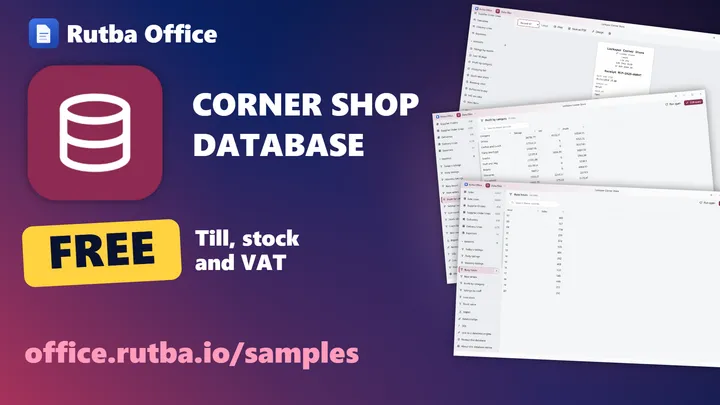
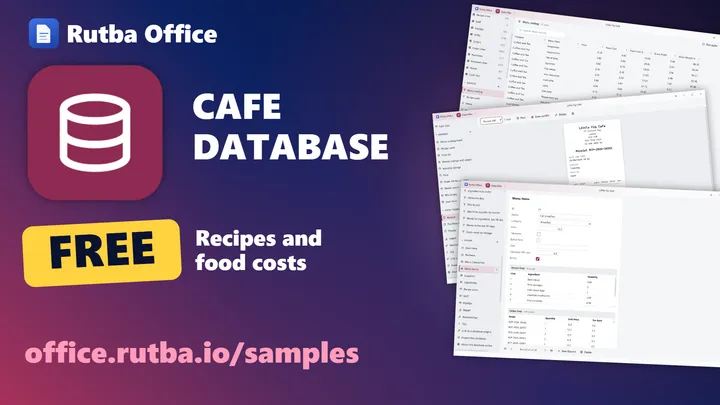
A database is one .rbase file of related tables, with queries (criteria, totals, calculated columns or SQL), forms, reports, and print templates for invoices, receipts, payslips and agreements. Twenty-five sample businesses, from a corner store to a guest house, start you off with a year of invented records or empty. Since 2.17 a database can be protected, so each person signs in and sees only what their role allows (the file itself is not encrypted), and its tables can be linked to PostgreSQL, MySQL or MariaDB so every computer works on the same records. CSV, dBASE, Access, Lotus and SQLite files open or import, and Documents merges letters from a table or a query.
The sample businesses, on film, sector by sector
Retail and food
Trade, making and building
Plays from YouTube, with English subtitles. Nothing is loaded from YouTube until you press play.
Where it has got to
The suite shipped at 1.0 on 7 September 2026 with seven apps, a reduced toolbar and 577 engine tests. Six weeks later it is at 2.17.1, with eighty-seven published releases and 3,047 engine tests. Two more versions, 1.42.0 and 1.44.0, were tagged and never published, because their installers did not build, and the work of 2.9 to 2.11 went out in 2.12.
1.0 to 1.13: from an editor to a suite
The real ribbons came in 1.3 to 1.6, and a workbook that took eleven minutes to open came down to six seconds. 1.7 said beta plainly after the owner found problems the checks had missed. Calendar and Contacts made nine apps in 1.8, followed by pages laid out on screen, print, autosave and one-click updates.
1.14 to 1.37: the files people actually have
Large workbooks, floating pictures, equations, tracked changes, mail merge, password-protected files, spelling and an accessibility checker. 1.29 renamed Rutba Word and Presentation to Documents and Presentations, made over ninety greyed-out buttons work, and opened old .doc, .xls and .ppt files in full. From 1.37 a save no longer holds up the other windows.
1.38 to 1.43: four languages, and a video editor
Menus in Urdu from 1.38, Arabic from 1.40 and Hindi from 1.42.1, with the frame turning right to left for Urdu and Arabic while each document keeps its own direction. The translations were drafted by machine and await a native speaker’s review. 1.43 made Video an editor on a timeline.
1.44 to 1.45: a recorder, and a photo editor’s tools
Video gained a screen recorder with the camera beside it, and introduction videos made scene by scene with a teleprompter, a brand kit and captions. Image gained layers, selections, brushes, clone and heal, masks and perspective, and a picture in a document, sheet or slide opens in Image and goes back.
1.46 to 1.51: a tenth app, and reading the page
PDF became the tenth app: pages reordered without being redrawn, then comments, forms, Fill & Sign and redaction that removes the words from the file. Text recognition runs on this computer in six languages, Urdu in beta. Mail became an archive tool, with one search across every account and archive and an export for legal hold.
2.0 and 2.1: a new count, and the review tools finished
2.0 is a new count, not a finished product: the 1.x numbers passed fifty in a few weeks, so they started again, still in beta. Redact and Inspect reached decks and workbooks. 2.1 put every window through an automated accessibility audit, made every app work from the keyboard and in High Contrast, and began shipping a software bill of materials.
2.2 to 2.6: newer foundations, AI tools, an eleventh app
2.2 moved to Electron 44 and changed nothing else, so any fault would trace to the move. 2.3 made Video’s preview editable. 2.4 added AI tools, off until you turn them on (see Privacy). 2.5 made Recorder the eleventh app, to record or stream live. 2.6 lets you choose which apps you use, in the installer or the launcher.
2.8 to 2.17: Talk, and a database of its own
2.8 started a new copy with the eight Office apps and the rest to add when wanted, brought Talk for messages and calls between contacts, gave Video a library, starters and sound tools, and opened Lotus 1-2-3, dBASE and Access files in Worksheets. 2.12 added Data Files, related tables with queries, forms and reports, signed Talk in with a Rutba account, and let Presentations and Worksheets format just the words you select. 2.13 brought twenty-five sample businesses with print templates, and invitations to Talk by email or by link. 2.14 lets Mail’s Out of office run on your mail server, and 2.15 keeps the templates up to date by themselves. 2.17 brought people and roles to Data Files, and tables linked to PostgreSQL, MySQL or MariaDB.
What is not done
- Downloads are Windows only; macOS and Linux build from the same source with one command each
- The Windows builds are not code-signed, so SmartScreen warns on first run; signing is planned for later in 2.x
- Gmail and Outlook.com need an app password, because the published build has no Google or Microsoft sign-in set up
- The translations await a native speaker, and the installer has no Urdu or Hindi
- Not built yet: tracked changes in workbooks, Power Query’s M language, editing PDF text in place, and Chinese and Japanese menus
Two decisions shape everything else
Documents live in the backend
The OOXML engine inflates with zlib and works in Node buffers. A document opens, edits and saves in Node, on a worker thread of the main process, and the window draws the view model it is sent. A spreadsheet asks only for the viewport it is about to paint, so the size of a workbook has no bearing on the size of a window.
We only rewrite what we edit
An .xlsx is a zip of XML parts, and almost everything a young engine will not implement for years lives in a part that can be carried through untouched. Charts, pivot caches, macros, signatures and embedded media come back byte for byte. Fidelity degrades only where we deliberately touched something, which is also where the tests are.
Fifteen years of Outlook mail, opened without Outlook
.pst and .ost are read in full: the node and block B-trees, the heap, property and table contexts, folders, messages, recipients and attachments. Verified against a real 906 MB .ost, with 467 folders and 12,172 messages indexed in under a second.
That exercise found what the specification does not say: Outlook 2013 and later compress the larger blocks of an .ost with zlib, the folder tree has to come from the node B-tree’s parent pointers, and a view table may carry no subject column. The block-encoding tables are checked when they load, so a damaged one decodes nothing rather than decoding wrongly.
- IMAP and SMTP for live accounts
- Outlook
.pstand.ost, read in full, over 2 GB included - Outlook for Mac
.olm, Unixmbox,.eml,.emlxand.msg - Archives opened where they lie, read only, and searched with your accounts
- Export for legal hold, with a SHA-256 manifest
Unplug the machine and the Office apps still work
The Office apps need no account and no sign-in to us, and no usage data is collected. Talk, one of the apps you add when you want it, is the one that signs in, with a Rutba account. These are claims about a published repository, which anyone can check.
Credentials go to the operating system
Mail passwords, calendar and contacts sync passwords, sign-in tokens, Recorder’s stream keys and the passwords of database engines Data Files links to are handed to the operating system’s own keystore (DPAPI on Windows, the Keychain on macOS, the system keyring on Linux), never to a file the application can read back in clear text. Where there is no keystore, the secret is not stored. A stream key is sent only to the server it belongs to.
Message bodies cannot phone home
Mail draws a message in a sandboxed frame with no scripts, no forms and no same-origin access; its one permission lets a click hand a link to your browser, and a suspect link asks first. Remote fetches are blocked, so a tracking pixel cannot report that you opened it, and remote images load only when you ask.
AI tools, off until you turn them on
From 2.4 an AI app on this computer can make and read documents, workbooks, decks and PDFs through Rutba Office. The tools are off by default, work only in folders you choose, and never overwrite or delete a file. By default they answer only AI apps on this computer, over standard input and output, with nothing listening on the network. Since 2.12 you can let AI apps on other machines in too: Rutba Office then answers at an address it shows, to whoever has its key, over a connection it tells you is not encrypted. Mail, Calendar and Contacts are left out on purpose.
Deleting is not destroying
Removing a file moves it to the operating system’s trash. An office suite should never be the reason something is unrecoverable.
What it contacts, stated plainly
On its own the suite makes two requests, and each can be switched off. Everything else goes only where you point it.
- GitHub, shortly after launch and every six hours, for a newer release and, since 2.15, a newer signed set of templates, downloaded from GitHub when there is one; the update library adds a random installation number it keeps in your profile
- office.rutba.io, at most once a day, for an announcement, sending the version and operating system and no identifier
- Adding a mail account asks only that domain’s own records, and only when you press Add
- Talk, and only once you open it: auth.rutba.io to sign in, renew the sign-in and sign out (your password goes only to your browser); introducer.rutba.io, which knows who your contacts are and who is online, holds a message until an offline contact comes back, carries your invitations and their links (and, when you ask it to, emails an invitation from no-reply@rutba.io, a few a day), and stays connected while Office runs; your contact’s computer directly, for messages and calls; and, where the two cannot reach each other, Rutba’s relay turn-eu.rutba.io or one of your own
- Otherwise it talks only to the mail, CalDAV and CardDAV servers you add, the database engines you link Data Files to and, when you press Go Live, the streaming servers you set up, and it opens only the links you click
Free for everyone. Commercial when the AGPL does not fit.
Rutba Office is published under the GNU Affero General Public License v3.0. Installing and using it, at home, in a business or on a thousand machines, carries no obligations: copyleft binds distribution and leaves use alone.
The obligations start when you hand the software, or a service running it, to someone else. If that does not fit (a closed-source product built on the engine, a modified version you will not publish, or a hosted service without the section 13 source offer), Tech Style Ltd offers a commercial licence that removes them. The terms depend on what you are building, so it is a conversation rather than a price list.
- Use it anywhere, including commercially, at no cost
- Read, modify and redistribute the source under the AGPL
- Commercial licence for closed-source embedding
- Engine packages usable without the desktop shell
- Community support on the public issue tracker
The issue tracker is the support desk
Bugs, feature requests and the arguments about what happens next all live on GitHub, where anyone can read them and see what was decided and why. There is no ticket queue behind a login.